All Document Reader & Viewer
Infinity Tech SystemsProductivity
4.083.00 Reviews
- Version
- 5.2
- Installs
- 1.00M
- Age Rating
- Everyone
Screenshots

Our Review of All Document Reader & Viewer
 Analysis by Appyee
I’m careful about document apps because a file can contain far more than casual reading material: a work contract, a bill, a school form, or a page with someone’s contact details. I want a reader that makes opening a document straightforward, but I also want to think clearly about what I’m handing to an app and which choices I make while using it. All Document Reader & Viewer is a free productivity app from Infinity Tech Systems, and its central appeal is simple: bring document reading into one place rather than making me hunt for a different viewer each time.
Trust starts with a sensible routine
I treat any document reader as a tool, not as a guarantee about privacy. Before opening a sensitive file, I check the app’s current permission requests and the choices shown on my device, and I avoid granting access that doesn’t make sense for the task. Those checks matter more to me than a polished interface, especially when I’m handling work or personal paperwork.
The app has a 4.3 average from around 1,000 ratings, and it has passed one million installs. That suggests it has reached a substantial audience, but popularity alone can’t tell me how a particular file is handled. I’d still use ordinary care: open only documents I intended to access, share a file only after checking the recipient, and keep private material out of casual workflows.
What to check before opening and sharing
A useful habit is to pause at the point where a document arrives. If I receive a file in an email or messaging app, I first confirm its name and source, then choose the reader only if I need it. That small step reduces the chance of opening an unexpected attachment just because it is convenient to tap the first option.
Sharing deserves the same attention. The app’s direct sharing option can save steps, but I would still review the destination before sending anything, particularly if a document includes an address, signature, account details, or notes meant only for me. Convenience is helpful; it shouldn’t replace a last look at what is being shared.
All-in-One Document Solution
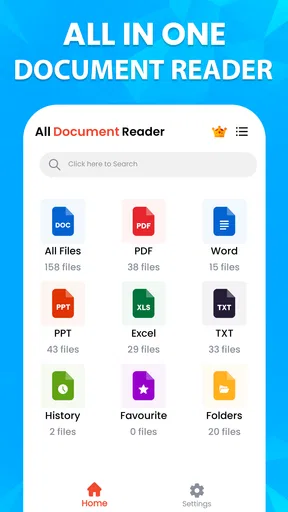
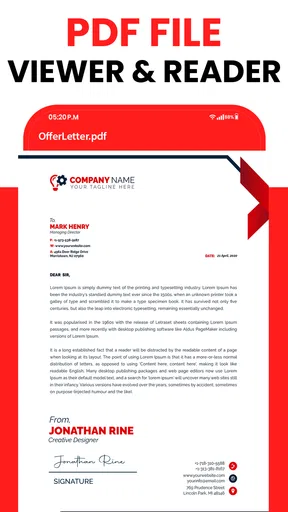
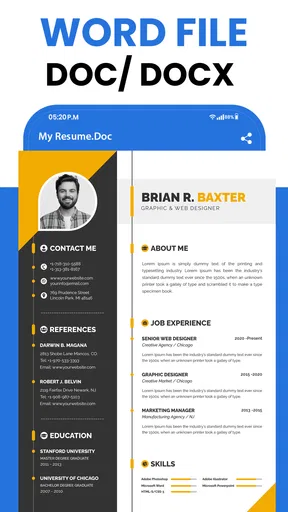
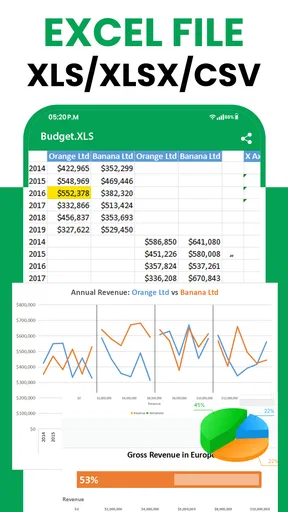
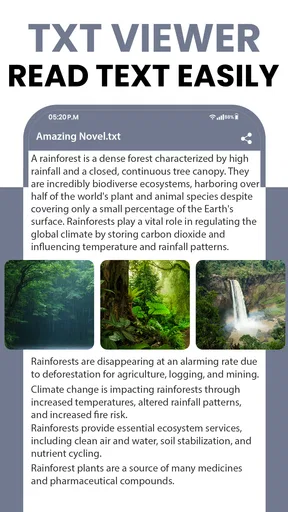
First things first, let's talk about what this app can do. All Document Reader & Viewer is like the Swiss army knife of document apps. It supports a wide range of formats including PDFs, Word docs, Excel spreadsheets, and even PowerPoint presentations. Honestly, it's like having a mini office suite right in your pocket.
One of the features I found super handy is the ability to view documents without needing to download any additional software. It’s perfect for those moments when you receive a file and just need to quickly check it out without any fuss. Plus, the app’s interface is really intuitive. You don’t need to be a tech guru to navigate through it.
Performance and Usability
Performance-wise, the app runs smoothly. I’ve tried it on both my Android and iOS devices, and it works like a charm on both platforms. There’s no lag when opening larger files, which is a huge relief because nobody has time to wait around for a document to load, right?
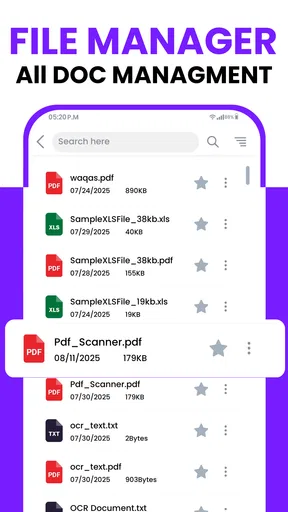
The usability is top-notch. Everything is laid out in a user-friendly manner, and I particularly love the search feature. You can easily find documents by typing in keywords, which saves a ton of time. The app also supports zooming in and out of documents, which is great for those detailed spreadsheets or tiny text you come across every now and then.
Additional Features
Beyond the basics, All Document Reader & Viewer packs in some nifty features. You can bookmark pages for quick access later, which is super helpful for students or anyone dealing with large documents. There’s also a night mode option for those late-night reading sessions when you don’t want to strain your eyes.
Another cool feature is the ability to share documents directly from the app. Whether you are emailing them or sharing through other apps, it’s seamless and straightforward. This makes collaborating with colleagues or sharing information with friends a breeze.
Why You Might Want It
If you’re someone who deals with multiple types of documents on the go, this app is a must-have. It simplifies the whole process of accessing and managing documents from different sources. You won’t need to switch between different apps anymore; everything you need is right here.
Also, the app is relatively light on storage, so it won’t hog up all your phone’s memory. For me, it’s been a lifesaver when it comes to staying organized and efficient, especially when I’m traveling or moving between meetings.
Choosing the right reader for the job
The practical advantage I notice is fewer app switches when I need to inspect different kinds of files. That is different from saying it replaces a full office suite: a reader is most useful when I need to review, locate, or pass along a document, not when I need advanced editing tools or a polished desktop-style workflow. If detailed editing is the main task, I’d choose an editor built for that work and use this app as a convenient viewer alongside it.
For a normal day, imagine I’m heading between appointments and need to check a PDF, then look up a detail in a spreadsheet someone sent me. I can use one reading app, search within a document when I know a term, and bookmark a page I’ll need to revisit. I’d still keep the original files organized in the place I normally store them; a reader is not automatically a filing system, and relying on one app’s document list as my only organization method can make a busy inbox harder to manage.
One small but useful workflow is to bookmark a page while reading, then give the bookmark a purpose in my own routine: a clause to discuss, a page to study, or a figure to check later. It’s more reliable than trying to remember where I stopped in a long file. For spreadsheets, zooming can make a quick inspection easier, but I wouldn’t treat a phone screen as a substitute for a larger display when comparing many columns or checking figures that need careful review.
Where the convenience has limits
The app’s appeal is breadth and quick access, but a broad reader may not be the best tool for every file. A specialist PDF app can be a better fit if my work depends on intensive PDF annotation or document-signing steps; a dedicated office app is preferable when I need to revise complex formatting or build a presentation. I would keep those tools rather than expect one mobile reader to handle every professional task equally well.
There is also a difference between finding a document and finding text inside one. The search feature is handy when the words I need are searchable, but a scanned page may behave more like an image than editable text. If a search comes up empty, I’d zoom in and inspect the page rather than assume the information is absent. That is a useful distinction when checking a receipt, form, or scanned handout in a hurry.
Bookmarks and night mode are practical conveniences, not a complete study or project system. I’d use bookmarks for short-term reference, then keep durable notes or deadlines in the app I already use for those jobs. That keeps a reader’s role clear and avoids expecting it to remember the broader context of a class, meeting, or project.
Who will get the most from it
I’d recommend it to someone who often receives documents in different formats and mainly wants a straightforward way to read them on a phone. Students checking course handouts, commuters reviewing a schedule, and people who need to glance at forms between errands are natural fits. It is especially useful when the task is occasional and switching among separate viewers feels like needless friction.
I’d be more cautious about recommending it to someone whose work depends on collaboration controls, complex revisions, or a carefully managed archive. Before making it the default for important documents, I’d test the exact files and actions I rely on: open a representative file, try the search, revisit a bookmark, and check how sharing fits my routine. That modest trial tells me more than assuming every document will behave the same way.
It is free to install, with in-app purchases listed from $9.99 to $38.99 per item. I’d consider whether the free experience covers my regular reading needs before paying for anything. The app is rated for Everyone, and its current version is 5.0, with Android 6.0 as the minimum operating system requirement. These details make it easier to judge basic fit, but they don’t change my main advice: use the tool for convenient reading, and choose a more specialized option when a task demands more.
Final Thoughts
In conclusion, All Document Reader & Viewer is a versatile tool that makes handling documents on your mobile device a hassle-free experience. Its wide range of supported formats, combined with its ease of use and additional features, makes it a standout choice for anyone looking to simplify their document management.
So, if you’re tired of jumping through hoops to access and read different file types, give this app a try. It might just become your new best friend in the world of mobile productivity.
My verdict is positive but measured: I like the idea of a single, approachable place to read everyday documents, and the search, zoom, bookmarks, and sharing options make that role more practical. I would not treat it as a secure vault, a full editing suite, or a replacement for a dedicated PDF or office tool when precision matters. If your needs are mostly reading and quick reference, it’s worth trying; if your files are unusually sensitive or your work depends on advanced editing, take time to check the available controls and use the tool that gives you the right level of control.
Verdict
Strengths of All Document Reader & Viewer
- Supports multiple document formats smoothly.
- User-friendly interface with easy navigation.
- Fast loading times for large documents.
- Offline access to saved documents.
- Regular updates with new features.
Limitations of All Document Reader & Viewer
- Ads can be intrusive during use.
- Limited editing features for documents.
- Some formats require in-app purchases.
- Occasional crashes with large files.
- No cloud storage integration.
Other Releases by Infinity Tech Systems
View All
Digital Compass - GPS Compass
Travel & Local4.2

Screen Recorder | Video Rec
Video Players & Editors4.8

HD Video Player & Media Player
Video Players & Editors4.8
Similar Picks in This Category
View All
Google Calendar
Google LLC4.6

Google Drive
Google LLC4.3

Google Assistant
Google LLC3.9

Microsoft OneDrive
Microsoft Corporation4.6

Samsung Calendar
Samsung Electronics Co., Ltd.4.1

Microsoft OneNote: Save Notes
Microsoft Corporation4.6
Frequently Asked Questions
What file formats does All Document Reader & Viewer support?
All Document Reader & Viewer supports a wide variety of file formats, including PDF, DOC, DOCX, XLS, XLSX, PPT, PPTX, TXT, and RTF. This versatility ensures that users can open most common document types seamlessly, making it a comprehensive tool for reading and viewing documents on both Android and iOS devices.
Is All Document Reader & Viewer free to use?
Yes, All Document Reader & Viewer offers a free version that provides basic functionalities. However, there might be in-app purchases or a premium version available that removes ads and unlocks additional features, such as enhanced editing tools or cloud storage integration. It's advisable to check the app's store page for detailed pricing information.
Does the app require an internet connection to function?
All Document Reader & Viewer allows users to open and view documents offline, which is ideal for users who frequently work in areas with limited connectivity. However, certain features, like cloud storage access or online syncing, will require an active internet connection to function properly.
How user-friendly is the interface of All Document Reader & Viewer?
The app is designed with a straightforward and intuitive interface, making it accessible for users of all experience levels. With clearly labeled menus and easy navigation, users can quickly open, view, and manage their documents without a steep learning curve. The app's design focuses on user convenience and efficiency.
Can I edit documents using All Document Reader & Viewer?
While All Document Reader & Viewer primarily focuses on reading and viewing documents, it may offer basic editing features depending on the version you install. For more advanced editing capabilities, users might need to upgrade to a premium version or use a dedicated document editor. It's best to review the app's specific features beforehand.
